Filament Moisture Problems: How Wet Filament Ruins Your Prints and How to Prevent It
One of the most insidious problems in 3D printing is filament moisture. This issue quietly degrades print quality, weakens part strength, and wastes time, often going unnoticed until it’s too late. So why does filament absorb moisture, what happens when you print with wet filament, and how can you prevent it? In this article, we walk through the science behind filament moisture, its effects on your prints, and the best protection methods step by step.
Why Do Filaments Absorb Moisture from the Air?
Most filament materials are hygroscopic, meaning they absorb moisture from the surrounding air. This happens because polar molecules in the filament’s chemical structure form hydrogen bonds with water molecules. Among the most common filaments, PLA, PETG, nylon (PA), and PC all exhibit this property to varying degrees. Nylon is one of the most moisture-sensitive materials — it can absorb a noticeable amount of moisture within hours at room temperature. PLA is more resistant but will still become damp if left exposed for long periods. PETG sits somewhere between PLA and nylon in terms of hygroscopicity.
What Happens When You Print with Wet Filament?
Moisture trapped inside the filament suddenly vaporizes when heated to around 200 °C inside the extruder. The resulting steam causes tiny explosions within the molten plastic, leading to several print defects:
- Stringing: The most common issue when printing with wet filament. Steam pressure causes thin strings to continuously ooze from the nozzle.
- Surface bubbles and cracks: As steam escapes the molten plastic, it leaves small craters on the surface.
- Poor layer adhesion: Rapid vaporization disrupts the extrusion flow and weakens the bond between layers.
- Popping or crackling sound: A popping or crackling noise from the extruder during printing is a telltale sign of expanding steam.
- Rough and pitted surface: The part surface comes out noticeably rougher than it should be.
These issues aren’t just cosmetic. Parts printed with wet filament also have significantly reduced mechanical strength, which can be critical especially for functional parts.
How to Tell If Your Filament Is Wet
The most reliable method is observation during printing. If you notice one or more of the symptoms listed above, your filament is most likely damp. You can also get a rough idea by weighing the spool — damp filament weighs a few grams more than its dry counterpart. However, the most definitive method, especially for critical materials like nylon and PC, is to run a controlled drying cycle and observe the change in print quality. Once you see the impact moisture has on print quality, you will understand the importance of proper storage methods. For more details, check out our Filament Storage Guide: Moisture and Drying.
How to Protect Your Filament from Moisture
Preventing filament from absorbing moisture in the first place is much easier than drying it out later. Here are the basic precautions you can take:
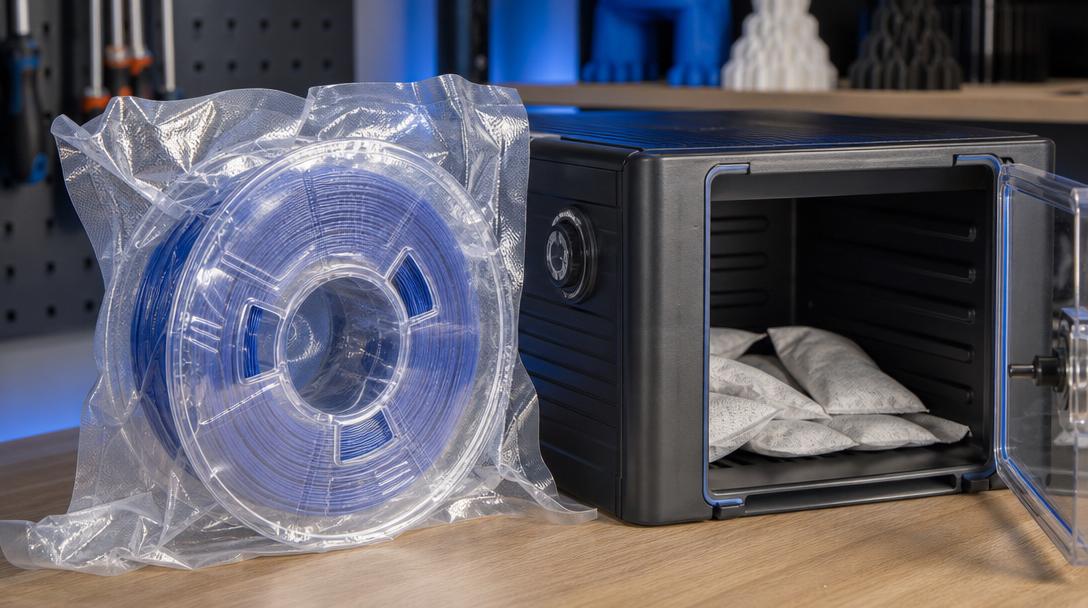
- Vacuum bags and silica gel: Store unused filaments in airtight vacuum bags along with silica gel packets.
- Dry box: Use a dry box filled with desiccant that keeps the filament isolated from ambient air during printing.
- Environment control: Store filaments in an environment with low humidity (below 40%). Damp basements or open garages are not suitable for filament storage.
- Drying: You can dry damp filament in a food dehydrator or oven at low temperatures (45-50 °C for PLA, 60-65 °C for PETG, 70-80 °C for nylon) for 4-6 hours.
If you are experiencing print quality issues and suspect moisture might be the cause, start here instead of tweaking your settings — dry the filament first. More often than not, the root cause is simpler than you think.
In our professional 3D printing service, all filaments are stored in a controlled environment and their moisture levels are checked before printing. If you want reliable results for your project, take a look at our wide range of filament material options or get an instant price quote for the solution that best fits your needs.



 Türkçe
 العربية
 Русский
 فارسی
فارسی Deutsch