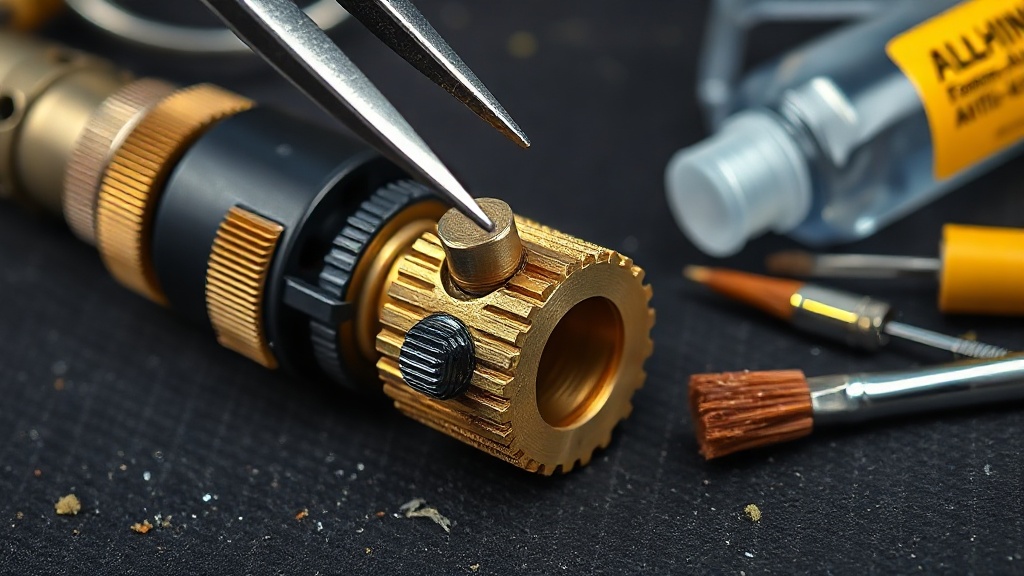
Extruder Maintenance and Drive Gear Cleaning
The extruder is the mechanism that pushes filament into the nozzle, and its drive gear gradually fills with filament dust over time. A clogged drive gear cannot grip the filament properly; the result is under-extrusion and a distinctive “clicking” sound.
Maintenance steps: remove the filament, open the extruder cover, clean the plastic dust from between the gear teeth using a small stiff-bristled brush or a needle, check that the set screw holding the gear to the shaft is tight, verify that the idler bearing spins freely, and adjust the spring tension.
Spring tension is critical: if it is too loose the gear will slip, and if it is too tight it will strip the filament by cutting into it. The correct setting leaves visible but shallow tooth marks on the filament surface. This 10-minute maintenance routine prevents one of the most frequently encountered printing problems at its source.


 Türkçe
 العربية
 Русский
 فارسی
فارسی Deutsch