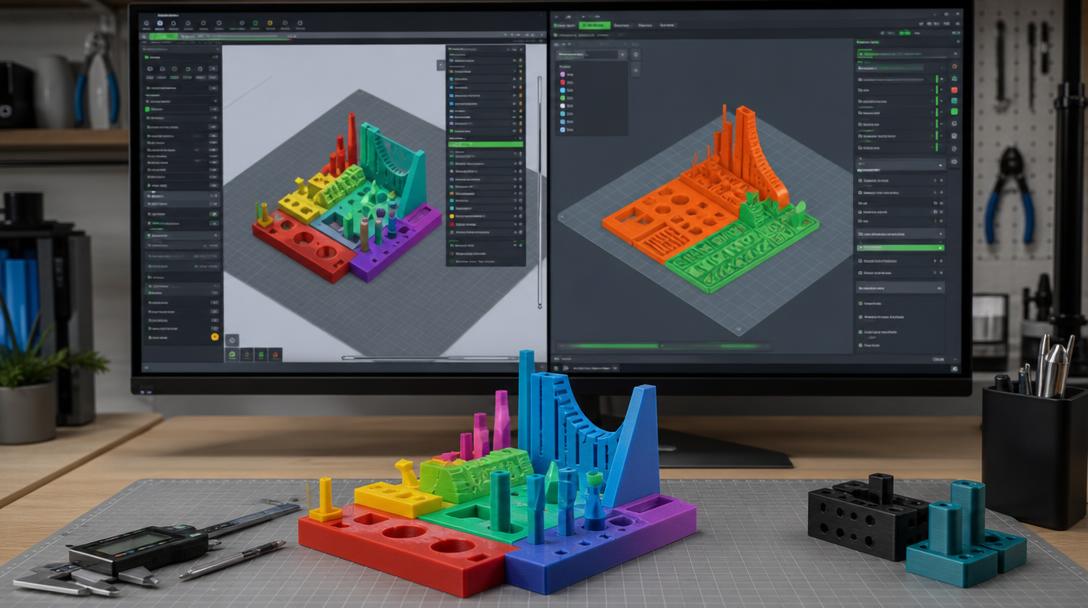
Cura or OrcaSlicer? Which Slicer Is Better for FDM Printing?
The question of Cura or OrcaSlicer comes down to choosing between ease of use and greater control over profiles and calibration when preparing an FDM print. Cura and OrcaSlicer are two different slicers that convert a 3D model into the layers and movements an FDM printer will follow. Cura’s extensive community resources and straightforward setup may be an advantage for beginners, while those who want to examine print settings more closely may prefer OrcaSlicer’s calibration tools.
The key difference between the two slicers
Both programs slice STL and similar models, generate support structures and prepare the G-code to send to the printer. The software alone does not determine print quality: the printer profile, filament, model geometry and correct settings all affect the result. So choose the tool that fits your workflow, not simply the one with more options. It can be misleading to decide that one program is always better without comparing results from the same file using different settings.
When is Cura a better fit?
Cura is a widely used starting point, with profile options for different printers and materials. It can offer a clearer interface for people preparing their first prints by showing basic settings first and letting them open advanced options when needed. Its plugin ecosystem and online tutorials can also help when you are learning how to use a specific feature.
On the other hand, the large number of settings can make it harder for inexperienced users to decide what to change. At first, focus on options that directly affect the print, such as layer height, wall count, infill and supports; run a small test print before changing the rest of the profile. If you encounter a problem, first review the model’s orientation and support requirements, then check settings such as temperature or speed. This helps you avoid unnecessary changes and get more consistent results.
When does OrcaSlicer stand out?
OrcaSlicer can be a good fit for users who want to manage print profiles systematically and access calibration tests from the same interface. Comparing settings such as flow rate and pressure advance through test prints can make it easier to create a repeatable profile. However, having a calibration test available does not mean its suggested values will automatically be right for every printer and filament; you need to verify the results on your own hardware.
The many controls in the interface may feel complicated to beginners. Select the correct profile for your printer, follow the filament manufacturer’s safe temperature range and change only one setting at a time. That way, you can tell which change led to an improvement. When switching to a new profile, create a separate copy rather than deleting your old settings. This makes comparisons easier and lets you return to your previous setup if needed.
What should you consider when deciding?
- If you are new to 3D printing: Start with the program whose default profile you find easier to understand and use.
- If you fine-tune profiles: Try OrcaSlicer if its calibration tests and settings visibility suit your workflow.
- If printer compatibility matters: Check whether an up-to-date, verified profile is available for your printer.
- If you are comparing results: Print small test pieces using the same model, material and printer; change one variable at a time.
- Consider your daily workflow: Access to frequently used settings, profile backups and ease of troubleshooting should also factor into your choice.
Backing up your current profile before switching programs makes it easier to revert. You can read the slicer guide to learn the basics, and explore the steps for preparing a model for printing in the beginner’s guide to designing for 3D printing.
In brief
Cura can be a practical choice thanks to its familiar setup and extensive resources. OrcaSlicer is better suited to those who want closer control over calibration and profiles. Try both with the same small model, then decide based on profile consistency, ease of use and print results. Preparing the model correctly for production matters just as much as choosing the software; when considering 3D printing services for your part, specify its intended use and the required strength.


 Türkçe
 العربية
 Русский
 فارسی
فارسی Deutsch