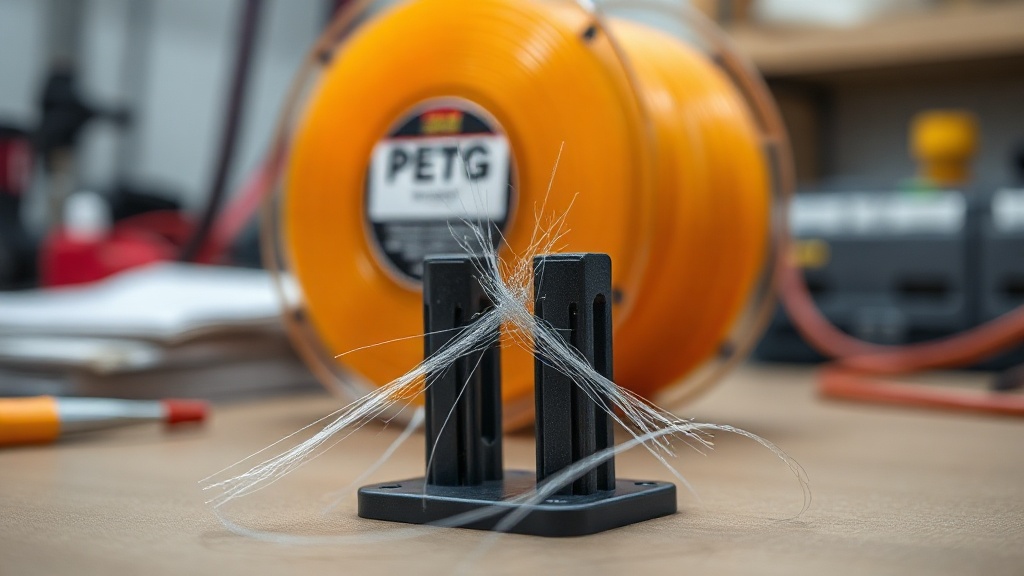
Stringing Issues When Printing with PETG and How to Fix Them
PETG is one of the most popular filaments thanks to its durability and transparency — but it is also notorious for those thin, hair-like strands that appear on a print after it comes off the bed. PETG stringing stems from the material’s naturally “sticky” flow, but with the right settings it can be largely eliminated. In this article we explain the causes of stringing and the solutions that actually work in the real world.
What Is Stringing and Why Does It Happen?
Stringing occurs when molten material oozes from the nozzle as the print head travels between points, leaving thin threads across the model. With PETG this is more pronounced than with PLA because PETG solidifies more slowly and does not retract cleanly from the nozzle. The main culprits are:
- Moisture-absorbed filament: PETG absorbs ambient moisture quickly; wet filament produces steam during printing, causing bubbles and stringing.
- Excessive nozzle temperature: Hotter melt is more fluid, which increases oozing.
- Insufficient or misconfigured retraction: If retraction distance and speed are not optimised for PETG, stringing is inevitable.
- Low travel speed: When the head moves slowly, the oozing material has more time to form long strings.
Step-by-Step Solutions
The good news: stringing is almost always a settings problem. Work through the steps below in order and you will see a clear improvement.
1. Dry Your Filament
This is the single most important step. Drying PETG at 55–65 °C for 4–6 hours before printing eliminates the majority of strings on the very first try. Spools left in the open can absorb moisture within a day or two, so make drying a routine habit.
2. Lower the Temperature Gradually
Reduce nozzle temperature in steps of 5 °C. For most PETG brands the ideal range is 230–245 °C; when you see stringing, move toward the lower end. We recommend printing a temperature tower to find the sweet spot for your specific brand.
3. Retraction and Travel Settings
For Bowden setups, keep retraction distance around 4–6 mm; for direct-drive systems, 1–2 mm is sufficient. Set retraction speed to 25–40 mm/s and raise travel speed to 150 mm/s or higher to minimise ooze time. Enabling combing mode to avoid crossing the perimeter also keeps the surface clean.
4. Z-Hop and Cooling
A small Z-hop prevents the nozzle from dragging across the print. Use the part-cooling fan sparingly with PETG (typically 30–50%); too much cooling weakens layer adhesion, while too little increases stringing.
Post-Print Cleanup
For any fine strings that remain despite all the above settings, a brief pass with a heat gun held at a safe distance is enough — the strings melt away instantly. If you prefer more control, a hobby knife works just as well.
Once you apply these steps you will find that your PETG prints come out both cleaner and stronger. If you don’t have time to experiment on your own printer, or if you need a professionally produced part, share your project with us. At Ucuz3D we use the right materials and settings to produce your urgent 3D printing orders quickly and deliver them to you free of stringing.
Get started now: Upload your design, get a quote in minutes from our express order page, and enjoy the print.



 Türkçe
 العربية
 Русский
 فارسی
فارسی Deutsch