How to Unclog a Nozzle? Step-by-Step Cold Pull Method
If your extruder starts making a “clicking” sound during printing, filament is flowing inconsistently, or not flowing at all, you are most likely dealing with a clog. Unclogging a nozzle may seem daunting at first glance, but in most cases it can be resolved without removing the nozzle — simply by using the right temperature and the right filament movement. The most well-known and effective way to do this is the cold pull method.
Why Does a Nozzle Clog?
There are a few typical causes of clogs. Most often, burnt (carbonized) filament residue from previous prints accumulates inside the nozzle. Temperature mismatches when switching between different materials can also leave residue; for example, switching from a material printed at high temperature to a low-temperature filament can leave deposits behind. Moist filament and the nozzle being too close to the bed also restrict flow and trigger clogs.
Cold Pull — Step by Step
The logic behind cold pull is simple: soften the filament, then pull it back quickly while it is semi-solid, bringing all the residue inside out with it. Follow these steps:
- Preparation: If you have a Bowden tube, release the filament from the extruder; on a direct drive system you can feed by hand. Nylon or dedicated cold pull filament is ideal for cleaning, but PLA works too.
- Heat and feed: Bring the nozzle to the printing temperature of the material you were using and manually push a small amount of filament through to flush out old residue.
- Lower the temperature: Turn off the heater and let the nozzle cool down toward 90°C for PLA or 120°C for nylon. In this range the filament becomes semi-solid.
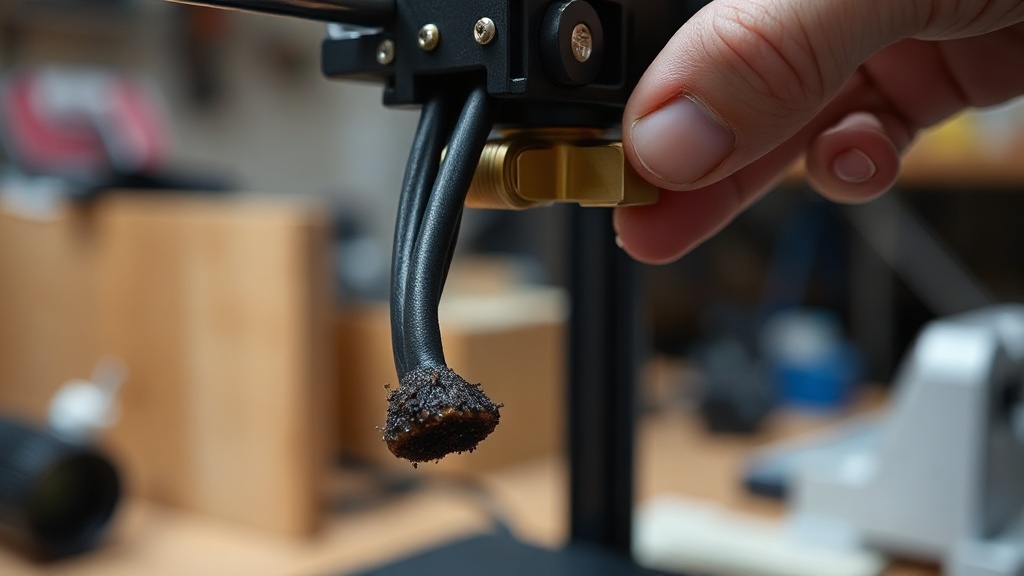
- Pull firmly and quickly: Pull the filament upward in one decisive motion. A plug that has taken the inner shape of the nozzle and carries the residue should come out.
- Repeat: Repeat the process a few times until the tip of the pulled filament comes out clean.
For Stubborn Clogs
If cold pull doesn’t work, you can slowly clear the heated nozzle with a fine cleaning needle (appropriate diameter for a 0.4 mm opening). If it still won’t open, soaking the nozzle in a non-acetone solvent or replacing it with a new one is the most practical solution; the nozzle is an inexpensive consumable part.
Prevention Tips
Regular maintenance prevents clogs before they start. Keep your filaments dry, purge thoroughly when changing materials, and clean the nozzle with a cold pull at regular intervals. If you’d rather skip all this maintenance and receive your parts ready-made, just submit your project through our quick order page. Let us handle the maintenance headaches — you enjoy your prints.


 Türkçe
 العربية
 Русский
 فارسی
فارسی Deutsch