Flexible Printing with TPU: Shore Hardness and Which Parts It’s Ideal For
When you want to produce flexible parts, the first material that comes to mind is usually TPU. With its rubber-like structure, TPU flexible filament is one of the most versatile materials in the FDM printing world for impact-resistant parts with a soft texture. However, there are a few tricks you should know, from choosing the right Shore hardness value to adjusting print speed. In this article you’ll find the essential information you need to get successful prints with TPU.
What Is Shore Hardness and Why Does It Matter for TPU?
Shore hardness is the scale that measures a material’s resistance to indentation. TPU filaments generally range from Shore 85A to Shore 98A. A lower Shore value (85A) feels softer, while a higher value (98A) is stiffer and closer to PLA. Which Shore value you choose depends on the function of the part you want to print:
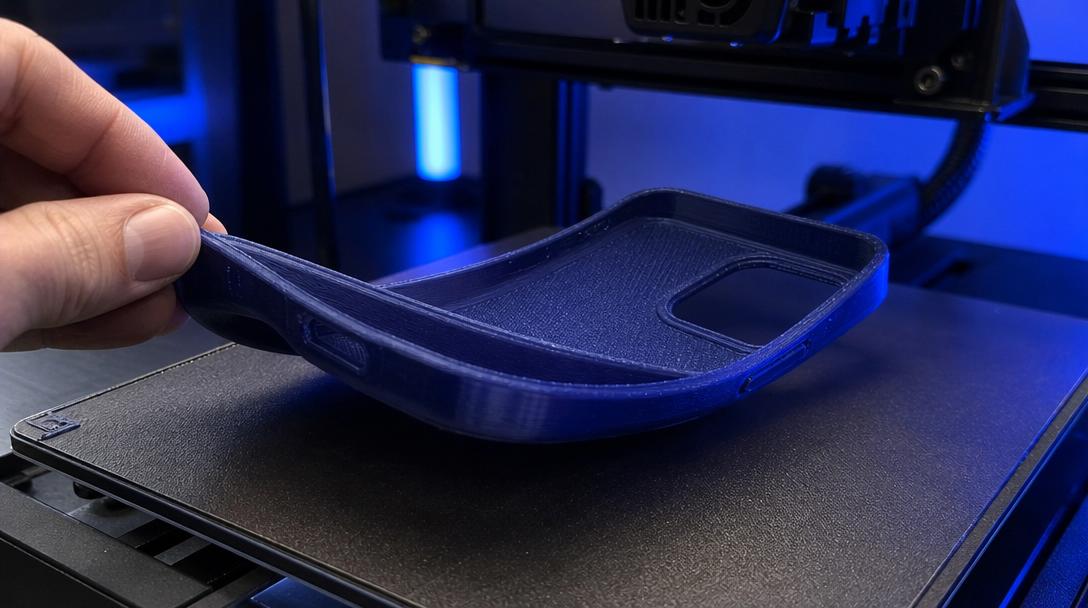
- Shore 85A–90A: Phone cases, protective corner guards, light vibration dampers.
- Shore 92A–95A: Gaskets, tires, insoles, drone landing gear.
- Shore 95A–98A: Wheels, rollers, functional parts that need mechanical strength.
The wrong Shore choice leaves a part either more flexible than needed or stiffer than it should be. To find the value that matches your goal, we recommend deciding by printing a small test piece first.
TPU Print Settings: What to Watch Out For
Compared to PLA or PETG, TPU requires slower and more careful settings. Here are the key tips:
- Print speed: Printing TPU at low speeds such as 15–30 mm/s gives the most reliable result. Fast printing can cause the filament to jam in the extruder.
- Retraction: 1–2 mm is enough on direct drive printers, and 2–4 mm on Bowden systems. Excessive retraction causes the flexible filament to be crushed between the gears.
- Nozzle temperature: A range of 210–230 °C is ideal for most TPU. Small adjustments may be needed depending on the brand.
- Drying: Like PETG, TPU also absorbs moisture. Drying it at 50–55 °C for 4–6 hours before printing noticeably improves surface quality.
Which Parts Is TPU the Best Choice For?
TPU’s flexibility and impact resistance make it indispensable for certain applications. The most common use cases you’ll come across in everyday life are:
- Protective cases and bumpers: Shock-absorbing outer shells for phones, tablets, drones and RC vehicles.
- Gaskets and sealing elements: Low-pressure gaskets, dust-proof covers and anti-vibration pads.
- Orthopedic supports: Parts requiring body contact such as insoles, elbow braces and wrist supports.
- Functional prototypes: Quick prototypes for testing mechanisms that require flexibility.
The fact that TPU has such a wide range of uses makes choosing the right material even more critical. If you’re not sure which Shore hardness is right for your project, you can check out the TPU options on our engineering materials page.
Mistakes to Avoid When Printing TPU
The most common mistakes beginners make with TPU are printing too fast and insufficient drying. In addition, using long retraction distances on Bowden systems causes the filament to jam between the gears and leads to gear slipping (grinding). Direct drive printers give far more successful results for TPU printing. If you have a Bowden printer, you can still get good results by lowering the print speed significantly and using short retraction values.
For your first TPU print, we recommend starting with a small and simple part. Moving on to more complex models after dialing in your settings will save you material and time. For more detailed information about TPU, you can take a look at our guide to TPU and flexible filaments.
When you need flexible parts, choosing the right Shore hardness and optimizing your settings directly affects print success. If you’d rather get a professional result than experiment with TPU on your own printer, you can find out your project’s cost with our instant price calculation tool and create your order quickly.



 Türkçe
 العربية
 Русский
 فارسی
فارسی Deutsch