3D Printer Maintenance Schedule: Yearly, Monthly & Weekly Checklist
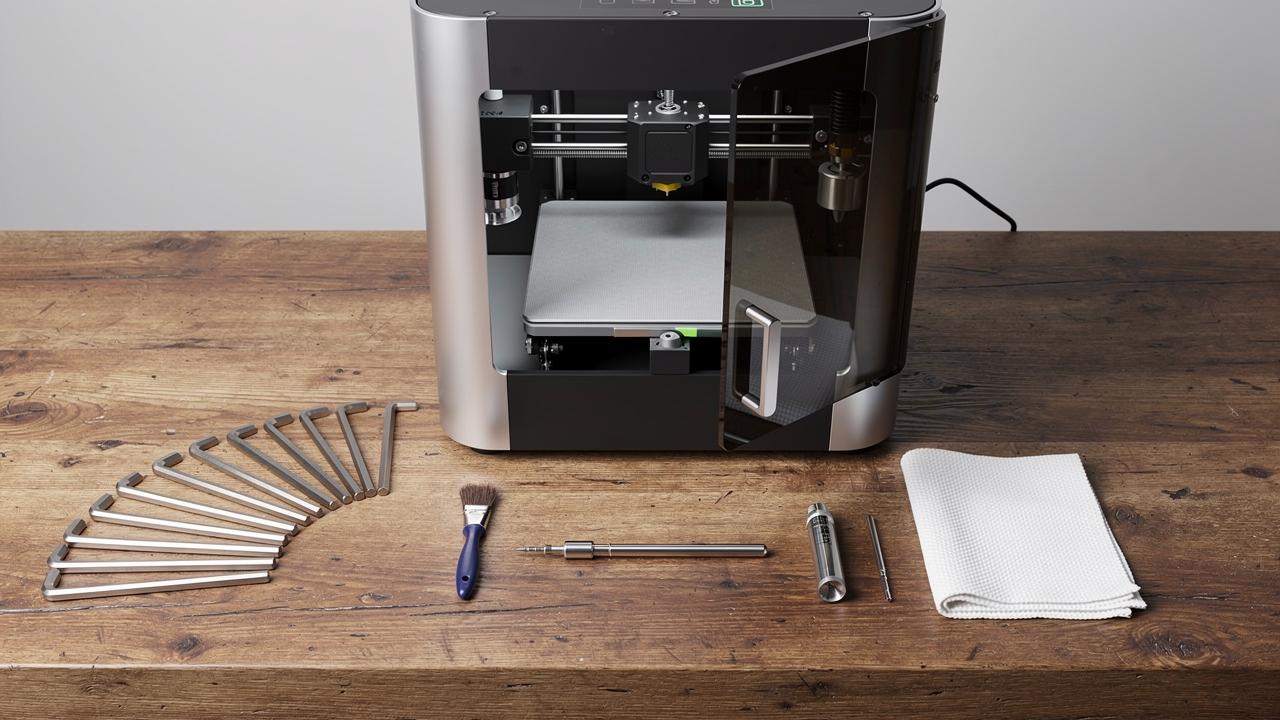
Your 3D printer is not a device that runs without regular maintenance. Just like a car, when it is not checked and cleaned at the right intervals, print quality drops, parts wear out, and bigger problems emerge down the line. Yet most users lack a clear maintenance schedule, so it gets neglected until something goes wrong. In this article, we have prepared a comprehensive 3D printer maintenance schedule from weekly to yearly so you can use your FDM printer reliably for years.
Weekly Maintenance: Quick and Easy
Spend just a few minutes each week to check your printer’s basic condition:
- Clean the print surface: Wipe off residue buildup on the PEI sheet or glass bed with isopropyl alcohol and a microfiber cloth.
- Check the nozzle tip: Remove accumulated filament debris with a soft brush or with a paper towel while the nozzle is heated.
- Check belt tension: Loose belts cause issues like Z banding and ghosting; tighten until they produce a slight twang sound.
- Prevent dust buildup: Blow off or gently brush dust from the printer’s linear rods and lead screws.
Monthly Maintenance: Detailed Inspection
Monthly maintenance goes one step further and helps you catch early signs of wear:
- Lubricate the linear rods: Apply a thin layer of PTFE-free light machine oil or white lithium grease to the Z lead screw and X-Y linear rails. Remember to wipe off excess grease with a cloth.
- Clean the extruder gears: Dust and filament dust can accumulate in the gears and cause slipping (grinding). Clean between the teeth with a stiff brush.
- Tighten screws: Check that screws on the printer frame and hotend assembly have not come loose.
- Perform PID tuning: If the hotend temperature fluctuates, run the PID auto-tune to restore temperature stability.
- Check for nozzle wear: Especially if printing abrasive filaments like carbon fiber, inspect the nozzle opening with a magnifying glass or a test print.
Every Six Months: Mid-Level Maintenance
Schedule a more thorough check every six months:
- Clean and re-lubricate all moving parts: Remove old grease and apply fresh lubricant.
- Consider replacing the belts: GT2 belts stretch over time; if loosening can no longer be compensated for, replace them with new ones.
- Check the cooling fans: Is the hotend fan and part cooling fan spinning freely? Any bearing noise? Clean or replace if necessary.
- Review thermistor and heater cartridge connections: Loose connections carry a risk of thermal runaway.
Yearly Maintenance: Comprehensive Overhaul
Set aside a bigger block of time for your printer once a year. For heavily used printers, this level of maintenance is critical:
- Disassemble and clean the linear rails: Clean the thick mixture of old grease and dust accumulated on the rails with alcohol, then re-grease with fresh quality grease.
- Fully disassemble and clean the extruder: Thoroughly remove all debris from the drive gear, idler pulley, and filament path.
- Replace the PTFE tube and fittings: In Bowden systems, the tube ends degrade over time; trimming or replacing them restores extrusion consistency.
- Renew the print surface: If the PEI coating is worn, consider replacing it or refreshing adhesion on a glass bed.
- Check all cable connections: Loose or frayed wires can cause intermittent errors during printing.
Regular maintenance not only preserves your print quality but also reduces major part costs. A small tube of grease and an occasional nozzle replacement can prevent an entire hotend or mainboard failure. If you ever need a part produced on a printer that has not skipped its maintenance, you can get a quick solution with our transparent per-gram pricing. In case of an urgent need, request an instant quote from our online order page. For a more detailed guide, don’t forget to check out our article 3D Printer Maintenance: Monthly Checklist.


 Türkçe
 العربية
 Русский
 فارسی
فارسی Deutsch