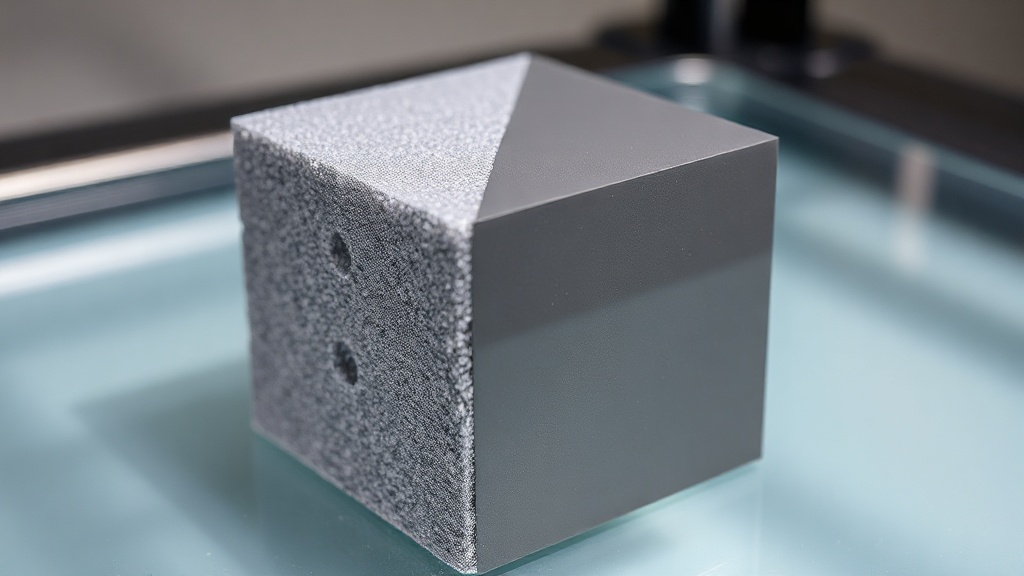
Top Layer Count: Preventing Holes and Pillowing on Your Print Surface
If the top of your print should look smooth but instead shows tiny holes or a puffy, uneven texture, the problem is most likely not moisture or temperature — it is directly related to your top layer count. These two defects — holes and pillowing — almost always disappear completely once you balance a few values in your slicer.
Why do pillowing and surface holes occur?
The top surface is closed by bridging over the infill lines below it. If there are not enough layers on top, the gaps between the last infill lines fail to close completely before the print ends. When the cooling filament contracts slightly inward, it produces the puffy, wavy appearance we call pillowing.
The relationship with layer height
The key here is total thickness, not layer count. At a 0.2 mm layer height, 4 top layers give 0.8 mm; at 0.12 mm you need 6–7 layers to reach the same thickness. In other words, when you lower the layer height you must also increase the top layer count.
Recommended values
For most PLA and PETG prints, a practical starting point is:
- Top layers: at least 4–5 layers, i.e. roughly 0.8–1.0 mm total thickness
- Bottom layers: 3–4 layers; enough for first-layer adhesion and a flat base
- Infill density: if you drop below 15–20%, the gap the top layers must bridge grows larger, so increase the layer count by one or two
- Top/bottom flow: keep flow around 100% so lines touch each other fully
Quick checklist
If holes are still present, try the following in order: raise infill density, increase top layer count, reduce top surface speed slightly, and make sure the part-cooling fan is running at full speed. Usually a combination of these four fixes the problem entirely.
Structural strength vs. appearance?
Making the top layer too thick increases print time and filament usage; making it too thin ruins the surface. At our workshop in Şile, when we slice submitted models we balance this trade-off according to the part’s intended use: we add more layers for a decorative surface, while we avoid unnecessary thickness for interior parts that are not visible. The ideal value also varies by material — flexible filaments are harder to bridge, so a slightly higher layer count is required.
If surface quality is critical for you and you want a part printed with the correct settings, upload your model via our quick-order page and we will optimise the layer settings for you.



 Türkçe
 العربية
 Русский
 فارسی
فارسی Deutsch