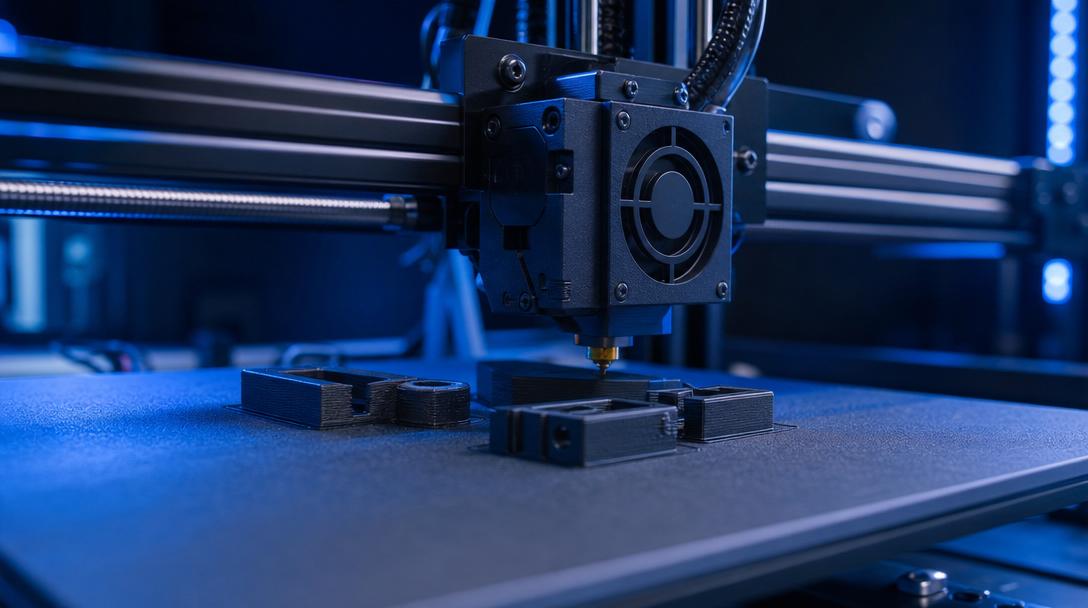
Retraction Settings: The Way to End Stringing
Retraction settings are one of the most effective ways to reduce the fine strings seen on the surface of a part in FDM printing. When melted filament leaks while the nozzle moves idle from one point to another, it creates an annoying appearance, especially on models with small details. The good news is this: in most cases, the problem does not come from the printer itself, but from not tuning retraction distance, speed, temperature, and travel behavior together. If you want cleaner part surfaces, you can keep the stringing problem largely under control with the right retraction settings.
What exactly does retraction do?
Retraction reduces the pressure at the nozzle tip by pulling the filament back a short distance just before the print head moves without printing. This prevents melted plastic from continuing to flow and stops fine strings from forming between two points. However, this setting is not a miracle on its own. A distance that is too low will be insufficient, while a distance that is too high can create new problems such as clogging, wear, or a delayed restart of the print. That is why the goal is not to find the highest value, but to find the balanced point for your printer and filament.
At Ucuz3D, in jobs where a clean surface finish is expected, choosing the right material and settings is at least as important as the model design itself. When receiving a professional 3d printing service, proper management of parameters like these that affect surface quality directly reflects on both the appearance and usability of the final part.
Main causes that increase stringing
Stringing does not arise only from insufficient retraction. Most of the time, several factors are involved at once, which is why settings should be tested one by one in a controlled way. Especially with materials that have different flow characteristics, such as PLA, PETG, and TPU, the same profile does not always produce the same result.
- Nozzle temperature being too high: The filament becomes more fluid than necessary, and dripping increases during travel.
- Retraction distance being too short: Nozzle pressure does not drop enough, and fine strings form.
- Unbalanced retraction speed: At very low speeds, the effect of retraction weakens; at excessively high speeds, grinding or inconsistent flow may appear.
- Using damp filament: Especially in materials such as PETG and nylon-like filaments, moisture noticeably increases stringing.
- Travel path being too long: If the nozzle travels more while idle, there is more time for leakage.
For this reason, instead of focusing on only one setting, you need to evaluate temperature, filament condition, and slicer behavior together. If you want to examine the topic in a broader framework, the guide Stringing Problem and Solutions is also a good complementary resource.
A safe retraction approach for getting started
Although exact numbers vary with every printer, the logic is similar: in direct drive systems, retraction distance is generally shorter, while in Bowden systems it is longer. Instead of going to extremes on the first try, progressing with small increases gives more accurate results. For example, a range of 0.8-1.5 mm in a direct drive system and a band of 3-5 mm in a Bowden system can be a reasonable starting point for many users. On the speed side, in most FDM setups, the safest method is to start at a moderate level and fine-tune according to the print result.
- First, bring the nozzle temperature down to the lower-middle part of the range recommended by the filament manufacturer.
- Increase the retraction distance in small steps and print the same test model at each step.
- Do not increase retraction speed too much at once; consistent extrusion should be preserved.
- Review options that optimize travel movements.
- Be sure to consider the possibility that the filament has absorbed moisture.
The purpose here is not to build the most aggressive profile, but to keep the surface clean while preserving print reliability. Because a profile that looks good but has weak layer starts can cause more errors in long prints.
Settings you should definitely check besides retraction
If you really want to reduce stringing, you should treat the slicer profile as a whole. If travel speed is not high enough, the nozzle has more time for leakage. If combing or similar path options are not configured correctly, the head may make unnecessary moves. With materials such as PETG, a slight temperature reduction often gives faster results than increasing retraction. In addition, keeping filament dry creates a bigger difference than expected, especially in summer.
If you are also considering the cost side, instead of making repeated test prints for a cleaner surface, it may be more efficient to see the bigger picture through affordable 3d printing prices and have the part you need produced externally. Especially in time-critical projects, uploading your file and seeing an instant quote makes it easier to decide without losing time on faulty test prints.
When should you stop tweaking settings and focus on the part?
If, after a few controlled tests, stringing has dropped to an acceptable level, it is more reasonable to focus on the function of the part instead of chasing a perfectly zero-mark result. In some types of geometry, very slight stringing may not disappear completely; what matters is that it remains easy to clean and at a level that does not affect the use of the part. Especially in functional fixtures, enclosures, prototypes, and spare parts, practical balance is often more valuable than theoretical perfection.
If you do not want to lose time searching for the right profile on your own printer, you can share your file and clarify the printing strategy together. With the right retraction, suitable temperature, and material, achieving clean-surfaced FDM parts is often easier than you think.


 Türkçe
 العربية
 Русский
 فارسی
فارسی Deutsch