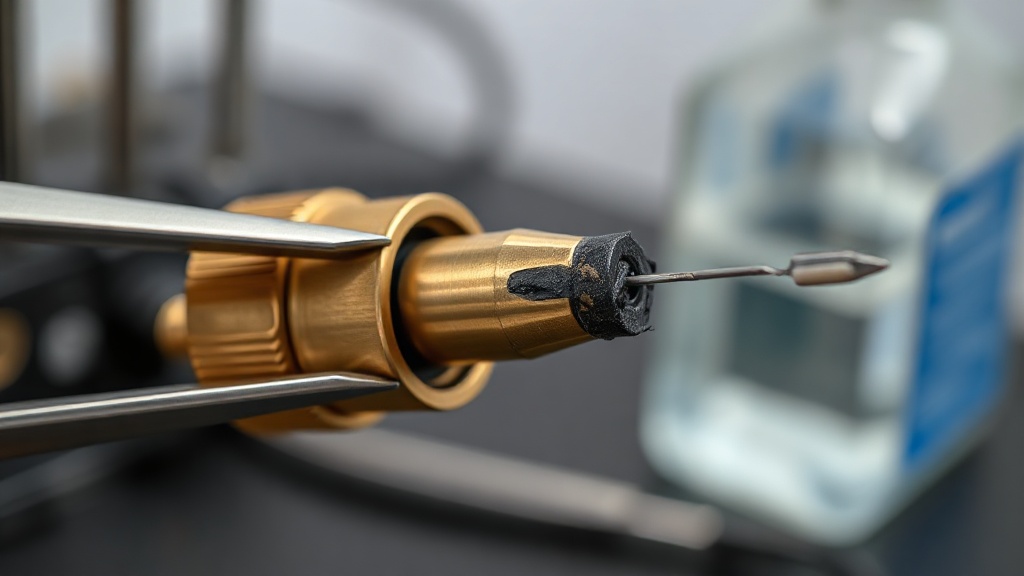
How to Clean a Clogged Nozzle?
A clogged nozzle shows itself like this: the extruder clicks, the filament stops flowing, or it comes out thin and curled. The cause is usually burnt plastic residue, dust, or leftover material from a previous print run at a different temperature.
Cleaning methods, from easiest to hardest: 1) Heat the nozzle and apply pressure by pushing the filament through by hand. 2) While hot, clean from below with a needle (acupuncture needle/nozzle needle). 3) “Cold pull”: push nylon filament in at 250°C, cool down to 90-120°C and pull sharply — the debris comes out with the filament. 4) Remove the nozzle and clean it with a brass brush and acetone, or simply replace it with a new one (standard brass nozzles are consumables).
Prevention: protect your filament from dust, attach a dust filter sponge over the spool, and use a cleaning filament between material changes.


 Türkçe
 العربية
 Русский
 فارسی
فارسی Deutsch