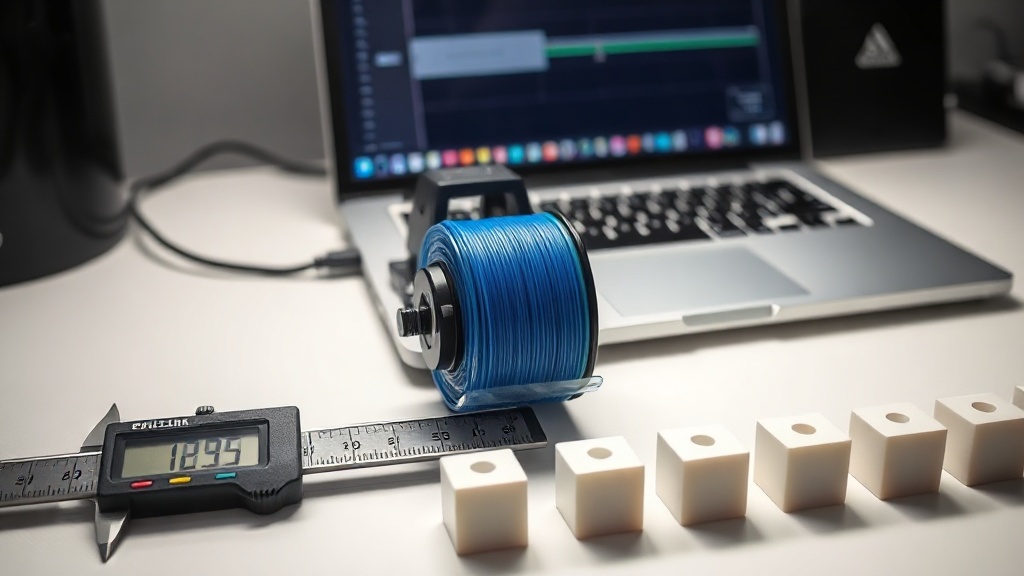
Extruder Step Calibration (E-Steps): Essential for Dimensionally Accurate Prints
If the part you designed should be 100 mm but comes out at 97 mm, or if you keep seeing small gaps in the walls, the first thing you should check is your e-steps calibration value. Extruder step calibration determines exactly how much filament your motor feeds per command; if this value is off, every other setting in your print will drift as well.
What Exactly Are E-Steps?
E-steps, or “steps per millimeter”, is the number of steps the stepper motor must take to feed 1 mm of filament. The factory setting is approximately correct on most machines, but small differences arise on every device due to the extruder gear, motor tolerance, and mechanical wear. Even a difference of a few percent translates into visibly dimensional errors on thick parts and weak layer adhesion.
How to Take the Measurement
For calibration, you heat the filament and command a 100 mm feed, then measure how much was actually fed. The steps are as follows:
- Heat the extruder to operating temperature; cold filament will not feed.
- Mark 120 mm from the entrance of the Bowden tube or from the extruder body using a ruler.
- Send a 100 mm feed command from the printer interface (at a slow speed, for example 100 mm/min).
- Measure the remaining distance: if 20 mm remains from the mark to the body, the measurement is correct.
Calculating the New Value
If only 93 mm was fed when you requested 100 mm, you can find the new value with this formula: (current e-steps × desired distance) / actual distance fed. For example, if the current value is 93: the calculation for 93 mm actually fed is (current × 100) / 93. Save the new value and write it to the firmware settings to make it permanent.
What to Expect After Calibration
Once the flow volume is dialed in with the correct e-steps value, walls will be fuller, top surfaces smoother, and dimensions will be much closer to your design. Even so, it is not sufficient on its own; it must be evaluated together with the flow rate and temperature settings. Skipping this calibration step on functional parts where dimensional accuracy is critical can result in having to reprint the entire part later.
If you want parts that match their dimensions exactly without having to calibrate your own machine, you can leave the production to our calibrated machine park. Getting a quick quote for your project takes just a few minutes. Write to us for dimensionally precise parts, and we will take care of the rest together.


 Türkçe
 العربية
 Русский
 فارسی
فارسی Deutsch